
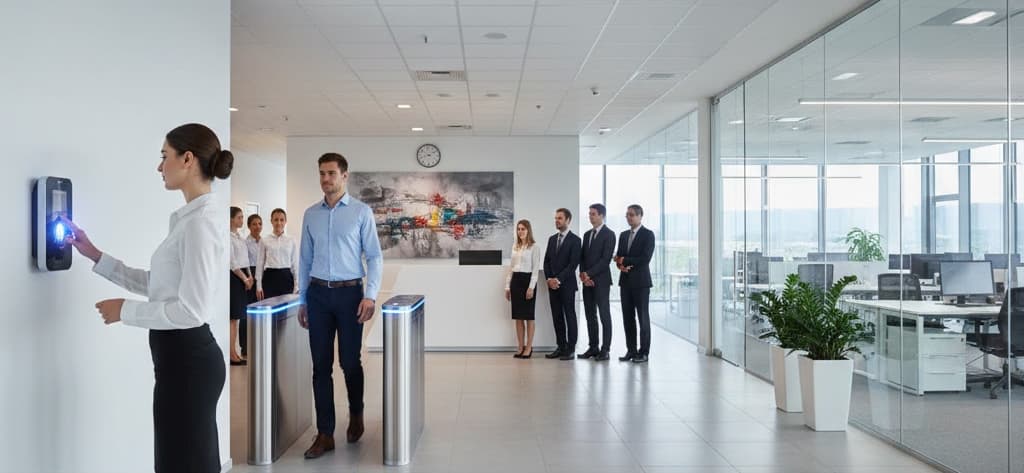
How Does an Attendance Machine Work?
What Is an Attendance Machine?
The same device is called a biometric attendance system, a time attendance terminal, a punching machine or an access terminal depending on who is describing it. Whatever the label, it performs one narrow job very quickly: establish who this person is, and note the time. Everything that turns those events into payable days happens afterwards, in software.
That division is worth holding onto, because it is where most UAE deployment problems actually sit. A terminal that reads a finger in 0.6 seconds is doing the easy part. Whether a 9:07 arrival counts as late, how a night shift crossing midnight is allocated, how a rotating roster across five free-zone sites is reconciled into one register, none of that is decided by the device.
The second thing worth saying early is that there is no universal answer to which credential to use. In a workforce drawn from dozens of nationalities and doing radically different work (office staff, warehouse operatives, site labour, clinical teams, hospitality shifts) the capture method that works for one group will fail for another. Planning for that spread is the single most useful thing a UAE buyer can do before choosing hardware.
How Does an Attendance Machine Work?
An attendance machine works in five stages. The sensor captures a sample, an image of a fingerprint, a face, a palm's vein pattern. Software extracts the distinctive features from that sample and discards the rest. It compares the resulting template against the templates stored during enrollment. If the similarity score passes the configured threshold, the device records an event containing the user ID, timestamp, direction and device identifier. That event is then transferred to the attendance software over the network.
The whole sequence typically completes in well under a second on a modern terminal, and it completes locally, the matching runs on the device, not on a server somewhere, which is why a terminal keeps working when the network does not.
Main Components of an Attendance Machine
| Component | Function |
|---|---|
| Biometric sensor | Captures the raw sample. An optical or capacitive sensor for fingerprints, a camera pair with infrared illumination for face, a near-infrared sensor for palm vein, a specialised camera for iris. Sensor type matters more in this climate than in temperate markets, for reasons set out below. |
| Card reader | Reads RFID or Mifare cards, either as the primary credential or as a second factor alongside a biometric. |
| Processor and matching engine | Runs feature extraction and template matching on the device itself, so identification does not depend on a live server connection. |
| Template storage | On-device memory holding enrolled templates. Its capacity limit determines how many users a single terminal can support. |
| Transaction log memory | Stores attendance events locally until they are transferred, so events are not lost when the network is down, important on remote sites and temporary accommodation. |
| Real-time clock | Maintains the timestamp. Accuracy here is the foundation of every downstream calculation, which is why time synchronisation across sites matters. |
| Display and keypad | Confirms the event to the user, allows PIN entry, and lets the user select an in, out or reason code where configured. On a multi-lingual workforce the clarity of this feedback is a real usability factor. |
| Communication interface | TCP/IP Ethernet, Wi-Fi, 4G, RS-485 or USB, carrying events to the software and configuration back to the device. |
| Power supply and backup | Mains adaptor or Power over Ethernet, often with a backup battery so the device survives short interruptions. |
| Enclosure and environmental protection | The housing, gasketing and ingress rating that determine whether a terminal survives an outdoor or semi-outdoor mounting position. Frequently the specification item that decides a UAE deployment's service life. |
| Access control relay | An optional output that releases a door lock, allowing one terminal to serve both attendance and access control. |
How Does an Attendance Machine Work Step by Step?
| Step | What happens | How it works |
|---|---|---|
| 1 | Enrollment (once per person) | The user presents the credential several times. The device captures samples, extracts features and builds a reference template, which is stored on the device and usually on the server. |
| 2 | User presents the credential | A finger on the sensor, a face in front of the camera, a palm above the reader, or a card at the reader. |
| 3 | Sample is captured | The sensor produces a raw image or signal. Face devices typically capture both colour and infrared frames so recognition continues to work in poor or uneven light. |
| 4 | Liveness is checked | Anti-spoofing logic assesses whether this is a real finger or face rather than a photograph, mask or lifted print. Implementation varies by device. |
| 5 | Features are extracted | The algorithm locates the distinctive characteristics (ridge endings and bifurcations for fingerprints, geometric relationships for faces) and encodes them as a numeric template. The original image is discarded. |
| 6 | Template is matched | The extracted template is compared against stored templates and a similarity score is produced. |
| 7 | Decision against threshold | If the score exceeds the configured threshold the person is identified. If not, the device rejects the attempt and prompts a retry. |
| 8 | Attendance event is written | User ID, date, time, direction (in or out), device ID and verification method are recorded in the device's transaction log. |
| 9 | Feedback is given | The display shows the name or ID, a beep or voice prompt confirms, and any linked door relay is released. |
| 10 | Event is transferred to software | The device pushes the record to the server, or the server polls the device. If the link is down, events queue in local memory and upload when it returns. |
| 11 | Software applies the rules | Shift assignment, grace periods, late marks, half-day thresholds, overtime and leave are applied to convert raw events into an attendance status. |
| 12 | Reports and payroll output | Registers, exception lists and payroll-ready payable-day data are produced for the pay cycle. |
How Biometric Identification Actually Works
Enrollment: building the reference template
Enrollment is the single most important step in the life of a biometric deployment, and the one most often rushed. The device takes multiple samples of the same finger or face and builds a reference template from them. A template built from poor samples (a partially placed finger, a face captured against a bright window) produces a user who is rejected repeatedly for months afterwards, and no amount of later configuration fixes it.
Enrol two fingers per person as standard, so a cut, a bandage or a work injury on one does not lock the person out. On a multi-national workforce, enrollment also needs language support and an unhurried setting: a worker who did not understand the instruction and placed the finger badly produces exactly the same bad template as one who was rushed, and the support burden lands months later.
Why no fingerprint image is stored
This is the most common misunderstanding about biometric attendance anywhere, and it is worth stating plainly: the device does not keep a picture of your fingerprint.
During feature extraction the algorithm identifies specific characteristics, for fingerprints, the minutiae points where ridges end or split, together with their relative positions and orientations. These are encoded as a set of numbers. That numeric template is what gets stored, and the original image is discarded.
The process is deliberately one-way. A template holds enough information to recognise the same finger again, but not enough to reconstruct the original fingerprint image from it. The same principle applies to face and palm recognition. On TimeWatch devices these templates are secured with AES-128 encryption both on the device and in transit, so the stored data is encrypted as well as non-reversible. Explaining this to a workforce before deployment rather than after resolves most employee concern, and in a workplace where staff come from many different regulatory backgrounds it is worth doing in writing and in more than one language.
Matching: verification versus identification
There are two distinct matching modes, and they behave very differently at scale:
- 1:1 verification: the user first identifies themselves with a card or a PIN, then presents the biometric. The device compares against one stored template only. Fast and accurate regardless of how many people are enrolled.
- 1:N identification: the user presents only the biometric and the device searches every enrolled template for a match. More convenient, because nothing else is needed, but the search space grows with headcount.
For large populations, sites commonly move to 1:1 or split users across multiple terminals, because 1:N matching slows down and becomes less discriminating as the enrolled database grows. This matters acutely at a labour accommodation block or a site gate where several hundred people present within a few minutes.
Thresholds, false accepts and false rejects
Biometric matching produces a similarity score, not a yes or no. The threshold decides where the line falls, and moving it trades one error against the other:
- False Acceptance Rate (FAR): how often the wrong person is accepted. Lowering this means raising the threshold.
- False Rejection Rate (FRR): how often the right person is rejected. Lowering this means relaxing the threshold.
The two move in opposite directions and cannot both be minimised. A secure door into a server room or a cash office is tuned for low FAR and accepts that legitimate users will occasionally need a second attempt. A site gate handling a 500-person shift change is usually tuned the other way, because a queue in 45°C heat cannot absorb repeated retries. This tuning is a site decision, not a product specification, and it should be revisited after the first few weeks of live data rather than set once at commissioning.
Choosing a Capture Method for a Multi-National UAE Workforce
UAE employers routinely run one attendance system across groups whose working conditions have almost nothing in common. The practical consequence is that the question "which biometric method should we use" usually has more than one correct answer within the same organisation.
| Method | How it identifies | Typically suited to |
|---|---|---|
| Fingerprint | Optical or capacitive sensor reads ridge patterns and extracts minutiae points | Offices, retail floors and indoor roles where hands are clean, dry and uncovered |
| Face recognition | Camera pair with infrared captures facial geometry; contactless and works in low light | Higher-footfall entrances, contactless and hygiene-sensitive settings, and workforces whose hands are unsuitable for fingerprint capture |
| Palm vein | Near-infrared reads the subsurface vein pattern of the palm | Settings where surface fingerprints are unreliable, manual labour, abrasion, chemical or cement exposure |
| Iris | Specialised camera reads the iris pattern at short range, fully contactless | Clinical and controlled areas, and staff working in gloves, masks and protective equipment |
| Card / RFID | Reads an identifier from a Mifare or proximity card | Large contractor, temporary and visiting populations; also used as a second factor alongside a biometric |
| Multi-modal | Combines several of the above in one terminal | Mixed workforces where no single method suits every group, which describes most UAE employers of any size |
The limitation that drives most real decisions here is worn finger ridge detail. Manual work, abrasive materials, cement, solvents and sustained heat genuinely degrade the ridge pattern a fingerprint sensor depends on. This is a recognised physiological limitation, not a device fault, and it is disproportionately common in workforces doing construction, fabrication, warehousing and facilities work. Those users are better served by face, palm vein or card, and a multi-modal terminal is what lets one employer accommodate both populations without running two systems.
Two further UAE-specific factors are worth planning for. Protective equipment is normal rather than exceptional on many sites, and gloves, dust masks and eye protection each defeat a different method, so a site that mandates PPE needs its capture method chosen around that reality, not around an office assumption. And because workforces are multi-national, on-screen prompts, voice feedback and enrollment instructions in more than one language measurably reduce failed presentations in the first months.
Attendance on Construction Sites and at Labour Accommodation
These two environments account for a large share of attendance terminals in the country and they are the hardest to serve well, so they deserve treatment in their own right rather than as a footnote to an office deployment.
A construction site presents four problems at once: the terminal is outdoors or in a temporary structure with poor environmental protection, the workforce has the fingerprint ridge problem described above, headcount changes constantly as subcontractors mobilise and demobilise, and the site moves. The responses are correspondingly specific. Choose a contactless method as the primary and keep a card fallback for new arrivals who have not yet been enrolled. Specify an enclosure and mounting position that keeps the sensor out of driven dust and direct sun. Use 4G where structured cabling does not exist and will not exist before handover. And treat enrollment as a continuous process with a defined owner, not a one-off event at mobilisation, because a site where new workers wait days to be enrolled will fall back to a paper register and the data will never reconcile.
Labour accommodation has a different shape. Movement is concentrated into sharp peaks around bus departures and returns, often at the same two or three moments each day, so throughput is the governing constraint rather than environmental protection. Several hundred people presenting within a few minutes is a sizing problem: it is solved with more terminals and more lanes, with 1:1 matching where the enrolled population is large, and by positioning terminals so the queue forms under shade rather than in open sun. Where attendance at accommodation is used alongside site attendance for welfare and headcount purposes, the two record sets should feed one database so they can be reconciled rather than compared manually.
Both environments share one planning point. A terminal in a temporary or semi-outdoor location will be exposed to conditions well beyond an indoor rating, and the realistic choice is either an appropriately rated terminal or a protected mounting position that provides that rating by other means. Deciding this at design stage is far less disruptive than discovering it after a summer.
How Coastal Humidity, Heat and Dust Affect Attendance Terminals
Most UAE development sits close to the Gulf coast, which makes high humidity and salt-bearing air a routine design condition rather than a special case. Combined with ambient temperatures above 45°C and periodic dust, this environment acts on an attendance terminal in several distinct ways, and the effects most likely to cause trouble are the gradual ones, because nobody notices them until read rates have already fallen.
Optical fingerprint sensors in humid coastal air
An optical fingerprint sensor images the finger through a glass or coated platen. Three things degrade that image in a humid coastal environment, and they compound. Perspiration and ambient moisture leave a residue film on the platen, which blurs ridge contrast. Fine airborne dust bonds to that film far more readily than it would to a dry surface, building a layer that is not obvious to the eye. And over longer periods, salt-bearing humidity attacks the platen coating itself and the seal around it, which is a permanent degradation rather than a cleaning problem.
The practical consequences are worth stating precisely. A sensor in this environment will show a slow decline in read rate that looks like worsening user performance but is actually a surface problem. The usual wrong response is to relax the matching threshold for everyone, which raises the false acceptance rate across the whole population to compensate for a dirty platen. The right responses are a cleaning interval set by conditions, a capacitive rather than optical sensor where the mounting position is genuinely exposed, or a contactless method that has no contact surface to degrade at all.
Face terminals, glare and outdoor mounting
Face recognition sidesteps the contact-surface problem entirely, which is why it has become the default for exposed positions here. It introduces a different sensitivity: strong direct sunlight. A terminal facing a window, a glazed lobby wall or an open east- or west-facing approach will underperform at particular hours regardless of its specification, because the camera is being asked to work against heavy backlighting and deep shadow on the subject's face.
This is an installation problem, not a device problem, and it is solved at design stage by orientation, shading or a canopy. The infrared channel in a dual-camera terminal helps considerably (it is what keeps recognition working in darkness and uneven light) but it does not rescue a terminal mounted directly into the afternoon sun. Camera windows also accumulate the same dust film as any other optical equipment here and need the same cleaning discipline.
Enclosure, cable entry and corrosion
The quiet failure mode in this climate is not the sensor but the electrical termination. Humid, salt-bearing air entering an enclosure through an unsealed gland or a poorly seated gasket reaches connectors and board contacts and produces intermittent faults long before anything looks visibly wrong. Intermittent faults are the hardest kind to resolve, because they are diagnosed by replacing parts that were not at fault.
Correct gland selection, intact gaskets and an enclosure that is genuinely sealed where it claims to be are worth more in practice than a higher headline ingress rating on a housing whose cable entry has been left open. Condensation deserves separate thought: a terminal in an unconditioned space that cools below the dew point overnight will collect internal moisture, so a semi-outdoor mounting position benefits from a housing arrangement that manages that rather than one that merely excludes rain. Fixings and mounting brackets near the coast should be stainless of a suitable grade rather than plated carbon steel.
Setting cleaning intervals from conditions, not from a calendar
A generic quarterly service schedule does not match this environment. Dust loading is seasonal and event-driven: the fine dust that settles after a shamal wind event is a recognised maintenance trigger across the region, and after a significant blow, sensor platens, camera windows and enclosure vents across an estate all need attention at once whether or not a scheduled service is due.
The approach that works is to set a baseline interval from the terminal's actual exposure (an air-conditioned lobby terminal and a site gate terminal are not the same asset) and then add unscheduled inspections triggered by conditions. Teams that do this see noticeably fewer failed presentations in the weeks following a dust event than teams working to a fixed calendar alone, and the read-rate data from the software is what tells them whether the interval is right.
Running Attendance Across Multiple Sites and Free Zones
A large share of UAE employers operate from more than one location under one payroll, and the architecture that supports this is worth understanding before hardware is chosen. A free-zone company may hold an office in one zone, a warehouse in another and a showroom outside both. A retail group may run thirty outlets across several emirates. A hospitality operator may staff a hotel, two restaurants and a back-of-house commissary with one rotating pool of people.
Three technical points carry most of the weight. First, one rule set across every site: if each location configures its own shifts and grace periods, the organisation ends up with inconsistent treatment of comparable staff and no defensible single register. The rule engine should sit centrally and apply to every terminal. Second, one identity per person across every terminal, so an employee who works at two locations in one week produces one coherent record rather than two partial ones, which in turn means templates must be distributable from the server to every terminal the person might use. Third, time synchronisation: all terminals should take their time from a common source, because a device whose clock has drifted produces subtly wrong attendance for everyone using it and the error is very hard to spot in a report.
The connectivity pattern usually follows the site type. Fixed offices and warehouses use Ethernet or PoE; remote sites, temporary accommodation and new plots that do not yet have structured cabling use 4G; and all of them benefit from push communication, where the terminal initiates the connection outward rather than waiting to be polled, because a device behind a router on a site network is often not reachable from the centre. Free-zone sites add one further consideration worth raising early: zone authorities commonly apply their own site rules, permitting processes and contractor registration requirements on top of emirate-level regulation, and those requirements should be established before equipment is ordered rather than during installation.
How Attendance Data Reaches the Software
Once an event is recorded on the device it has to reach the server, and there are two models:
- Push: the device initiates the connection and sends each event to the server as it happens, or in short batches. This gives near real-time data and works when terminals sit behind routers on remote sites, since the device dials out rather than waiting to be reached.
- Pull: the server polls each device on a schedule and downloads accumulated events. Simpler to manage on a single flat network, but the data is only as current as the last poll.
Physical connectivity is typically Ethernet or PoE in fixed buildings, Wi-Fi where cabling is impractical, 4G for sites without structured cabling, and RS-485 for multi-device runs within one building. USB export remains a legitimate fallback for a location with no network at all, which still occurs on early-stage construction plots.
The behaviour that matters most operationally is what happens when the link drops. Terminals hold events in local memory, so attendance continues to be recorded during an outage and uploads when the connection returns, a network failure delays the data rather than losing it. The practical limit is the device's log capacity, which is why a long outage on a high-traffic terminal at a site gate or an accommodation block warrants an explicit check rather than an assumption.
What the Software Does With the Data
The raw event is only an ID and a timestamp. The software is what turns it into something payable:
- Shift resolution: matching each event to the correct shift, including night shifts that cross midnight and the rotating rosters common in hospitality, security and continuous-operation facilities.
- Policy application: grace periods, late marks, early-out rules and half-day thresholds applied as configured policy rather than case-by-case judgement, which is what makes treatment consistent across sites.
- Overtime calculation: hours beyond the assigned shift, computed against the applicable rule and any pre-approval requirement.
- Leave reconciliation: approved leave matched against absences so the register and the leave ledger agree.
- Exception handling: missed events and anomalies raised as a review queue, with every correction logged and attributed to the person who made it.
- Reporting and payroll output: registers, management dashboards and payable-day data exported to payroll or HRMS in the format that system expects.
TimeWatch attendance terminals are managed through Biomanager, which performs these functions and holds one rule set across every branch and entity, the architecture described in the multi-site section above.
Where Attendance Machines Are Used in the UAE
- Construction and project sites: contractor and subcontractor workforces with constantly changing headcount, terminals in temporary structures, and 4G connectivity in place of cabling that does not exist yet.
- Labour accommodation: concentrated movement peaks around transport schedules, where attendance records support headcount and welfare management as much as payroll.
- Free zones and logistics: warehouse, office and yard staff across plots in Jebel Ali and JAFZA, Dubai South, and Khalifa Port and KIZAD, frequently with one employer holding several facilities.
- Multi-outlet retail: mall and high-street stores across Dubai, Abu Dhabi, Sharjah and the northern emirates consolidated into one central register, with part-time and shift staff moving between branches.
- Hotels, resorts and food service: rotating rosters, split shifts and back-of-house teams, where staff frequently work across more than one property under the same operator.
- Corporate offices and professional services: tower-based employers in districts such as Business Bay, with attendance linked directly to payroll and HRMS.
- Manufacturing, workshops and industrial estates: the warehouse and workshop districts including Al Quoz and Mussafah, where shift-change throughput and worn finger ridges both shape the specification.
- Hospitals and clinical facilities: contactless iris or face recognition for staff working in gloves and protective equipment.
- Schools, universities and training institutions: staff and student attendance across campuses, often with multiple buildings on one record set.
- Government and municipal facilities: auditable attendance records across dispersed departmental locations.
TimeWatch supplies and supports biometric attendance and access terminals for sites across the United Arab Emirates, from Dubai and Abu Dhabi through Sharjah and Ajman to Ras Al Khaimah, Fujairah and Umm Al Quwain.
Integration With Other Systems
- Payroll and HRMS: attendance exported as payable days, overtime hours and leave adjustments, so every payroll figure traces back to the event behind it.
- Access control: the same terminal releasing a door lock, so one credential governs both time recording and entry, and a single revocation closes both.
- Visitor management: staff and visitor movement recorded against one system for a complete on-site picture, which matters on sites with heavy contractor traffic.
- Canteen and catering management: the same identity used at the meal counter with entitlement rules applied automatically, widely relevant at accommodation and large industrial sites.
- ERP systems: labour hours booked against projects, jobs, departmental codes or job numbers, which is how a contractor attributes site labour to the right project.
- Vehicle access and barrier systems: staff bus and vehicle movement recorded alongside personnel attendance at site and accommodation gates.
- CCTV and video analytics: footage bookmarked against attendance events for verification where a record is disputed.
- Mobile and geo-fenced attendance: field staff, technicians and sales teams marking attendance from a phone within a permitted location boundary, for roles that never reach a fixed terminal.
Installation and Maintenance Considerations for UAE Sites
Installation
- Mounting height and angle: typically around 1.2 metres for fingerprint devices; face terminals need a height and angle suited to the actual range of user heights at that site, which on a mixed workforce is wider than a default assumes.
- Orientation and shading: never face a recognition terminal into a window, a glazed wall or an open sun-facing approach. Decide orientation, shading or a canopy at design stage; it is the single most effective installation decision available.
- Environmental protection: match the enclosure and ingress rating to the real mounting position, not to an indoor assumption, and use stainless fixings of a suitable grade near the coast.
- Throughput planning: one terminal processes a finite number of events per minute. A several-hundred-person shift change through a single device will queue in the heat; the fix is more terminals or more lanes, decided at design stage rather than after the first week.
- Network and power: Ethernet or PoE where available, 4G where not, with backup power where attendance must continue through an interruption. Favour push communication for any site behind its own router.
- Enrollment planning: allocate proper time, a quiet shaded space and multi-lingual support, and name an owner for ongoing enrollment of new arrivals. Enrollment done badly at go-live generates support calls for a year.
- Time synchronisation: point every terminal at a common time source from day one, before any multi-site reporting is built on top of the data.
Maintenance
- Clean sensor platens and camera windows on an interval set by each terminal's actual exposure, and add an unscheduled inspection after any significant dust or shamal event.
- Treat a gradual decline in read rate as a surface or alignment problem first. Re-enrol users who fail repeatedly rather than relaxing the threshold for everyone.
- Open enclosures on semi-outdoor and coastal terminals and inspect glands, gaskets and terminations for corrosion, discoloration or moisture ingress, the most useful preventive check available in this climate.
- Verify time synchronisation across all sites. A device whose clock has drifted produces subtly wrong attendance for everyone using it.
- Monitor transaction log capacity and confirm events are uploading, particularly on 4G-connected remote sites and after any network change.
- Keep firmware current for algorithm and anti-spoofing improvements.
- Back up the template database and confirm the restore process works before it is needed.
- Check door relay and backup battery function where the terminal also controls access.
Employee Data Handling and Governance in the UAE
Three technical properties together determine how well-protected the data is, and they are worth separating from any question about obligations:
- The template is not the biometric. What is stored is a numeric representation generated one way. The original fingerprint, face or palm image cannot be rebuilt from it.
- The template is encrypted. TimeWatch devices secure templates with AES-128 encryption at rest on the device and in transit to the server.
- Access is controlled. Who may view, export or delete attendance and biometric data is governed by role-based permissions in the software, with every change recorded in an audit trail.
Beyond the technology, there is a governance layer that the equipment cannot settle. Employers deploying biometric attendance should confirm their own obligations on employee data handling (what may be collected, how long it may be retained, what employees must be told, and what happens to a template when someone leaves) with their legal or compliance advisors. Expectations vary by sector, by the nature of the employment relationship, and by whether the employer sits on the mainland or inside a free zone, and they change over time. Nothing on this page should be read as a statement of a legal requirement.
Two practical habits make that conversation easier later. Write down the retention and deletion rule before go-live rather than after a request arrives, and tell the workforce in plain terms, in the languages they actually use, what is stored and what is not. Both are straightforward at design stage and awkward to retrofit.
Benefits and Limitations
Benefits
- Removes buddy punching, a biometric credential cannot be handed to a colleague, which a card can.
- Accurate, timestamped records that remove disputes over arrival and departure times, which matters most where the workforce is large and turnover is high.
- Eliminates manual register entry and the reconciliation effort that follows it, including the paper registers that multi-site operations otherwise accumulate.
- Feeds payroll directly, so every payable day traces back to the individual event behind it.
- Consolidates multi-site, multi-shift and multi-entity data into one view under one rule set.
- Continues to operate through a network outage, because matching is local to the device.
- Supports internal audit and record-keeping, and gives a defensible answer when an attendance record is questioned.
Limitations and considerations
- No biometric method works for everyone. Worn finger ridges from manual work, gloves in clinical and food-handling settings, and facial coverings each defeat specific methods. Plan a fallback from the outset.
- Enrollment quality determines everything downstream. Poor initial capture cannot be corrected by configuration later.
- Throughput is finite. Large simultaneous shift changes at site gates and accommodation blocks need multiple terminals.
- Environment degrades capture. Humidity, salt-bearing air, dust and direct sun all reduce performance, and the degradation is gradual enough to go unnoticed until read rates have already fallen.
- Privacy expectations must be managed. Explaining that only an encrypted, non-reversible template is stored resolves most concern, and it is worth doing before deployment rather than after.
- Data handling obligations are not settled by the equipment. They must be confirmed with legal or compliance advisors, and they differ by sector and by jurisdiction within the country.
- Accuracy figures are configuration-dependent. Published FAR and FRR figures relate to specific test conditions and thresholds; real-world performance depends on the device, the algorithm, the threshold setting and site conditions, and should be confirmed by site testing rather than assumed from a datasheet.
Frequently Asked Questions
Does an attendance machine store my fingerprint?
No. The device converts your fingerprint into a numeric template describing distinctive features such as ridge endings and their positions, then discards the original image. The template is a one-way representation, it can recognise the same finger again but cannot be used to reconstruct your fingerprint. On TimeWatch devices, templates are additionally secured with AES-128 encryption both on the device and in transit.
How does a biometric attendance machine recognise a person?
It captures a sample, extracts the distinctive features into a numeric template, and compares that template against the templates created when the person was enrolled. The comparison produces a similarity score. If the score exceeds the configured threshold the person is identified, and an attendance event is recorded with their ID, the direction and the exact time.
What is the difference between 1:1 and 1:N matching?
In 1:1 verification the user first identifies themselves with a card or PIN and the device compares against that one stored template. In 1:N identification the user presents only the biometric and the device searches every enrolled template for a match. 1:N is more convenient; 1:1 stays fast and accurate regardless of how many people are enrolled, which is why large sites and accommodation blocks often prefer it.
Which capture method suits a multi-national workforce spread across offices and site work?
Usually more than one, which is why multi-modal terminals are common here. Office and retail staff are generally well served by fingerprint or face. Construction, fabrication and warehouse workers frequently have worn finger ridge detail and are better served by face, palm vein or card. Clinical staff in gloves and protective equipment suit iris or face. Planning for that spread before choosing hardware avoids running two separate systems later.
Why does fingerprint attendance fail for construction and manual workers?
Manual work, abrasive materials, cement, solvents and sustained heat genuinely wear down the ridge detail that a fingerprint sensor depends on. This is a recognised physiological limitation rather than a device fault, and no threshold setting corrects it. Affected workers should be moved to face recognition, palm vein or a card credential, and a multi-modal terminal lets one employer accommodate both populations on the same system.
Does coastal humidity affect fingerprint sensors in the UAE?
Yes, and gradually enough that it is often mistaken for worsening user performance. Perspiration and ambient moisture leave a residue film on an optical platen that blurs ridge contrast, airborne dust bonds to that film readily, and over longer periods salt-bearing humidity attacks the platen coating and its seal. The right responses are a cleaning interval set by exposure, a capacitive sensor in exposed positions, or a contactless method with no contact surface at all, not relaxing the threshold for everyone.
What should an attendance system at a construction site or labour accommodation provide?
At a construction site: a contactless primary method with a card fallback, an enclosure and mounting position that keeps the sensor out of driven dust and direct sun, 4G connectivity where cabling does not exist, and continuous enrollment with a named owner as subcontractors mobilise. At labour accommodation: enough terminals and lanes to absorb concentrated peaks around transport schedules, 1:1 matching where the enrolled population is large, and queue positions under shade rather than open sun.
Can an attendance machine work without an internet connection?
Yes. Matching happens on the device itself, so identification continues to work with no network at all. Attendance events are stored in the terminal's local memory and upload automatically when the connection returns, so an outage delays the data rather than losing it. The constraint is the device's log capacity, which is why a long outage on a busy site gate or accommodation terminal should be checked explicitly.
How can one employer run attendance across several sites or free zones?
Through three things working together: one rule set held centrally so shifts and policies are applied consistently at every location, one identity per person with templates distributable to every terminal they might use, and a common time source so no device's clock drifts. Connectivity usually mixes Ethernet at fixed buildings with 4G at remote sites, and push communication suits any terminal sitting behind its own router.
How does attendance data reach payroll software?
The device transfers events to the attendance software, which applies shift, leave and overtime rules to convert raw events into payable days. That output is exported to payroll or HRMS in the format the payroll system expects, or processed within the attendance platform where it handles payroll directly. Because the input is the attendance record itself, any payroll figure can be traced back to the event behind it.
What should an employer confirm about employee data handling before deploying biometrics?
What may be collected, how long it may be retained, what employees must be told, and what happens to a template when someone leaves. These expectations vary by sector, by the nature of the employment relationship and by whether the employer sits on the mainland or inside a free zone, and they change over time, so they should be confirmed with legal or compliance advisors rather than assumed. Nothing on this page states a legal requirement.
